
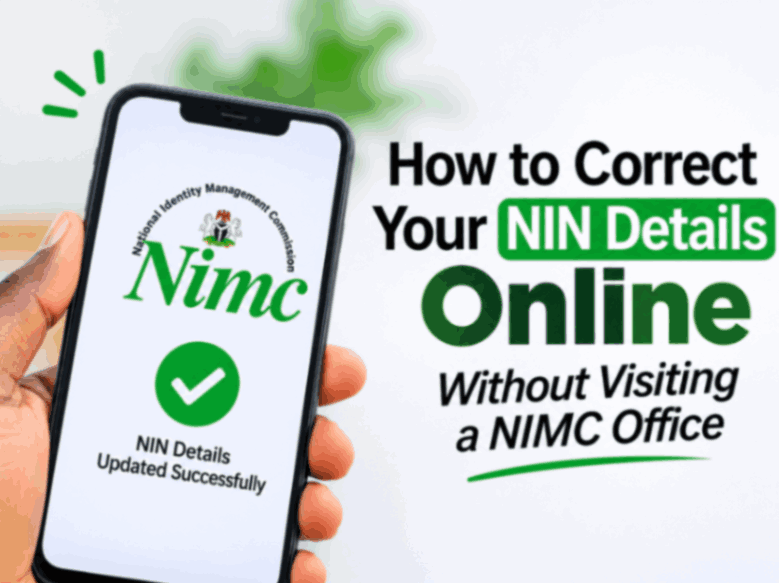
Nigerians who need to correct errors in their National Identification Number (NIN) records or update personal information may be able to complete the process online without visiting a National Identity Management Commission (NIMC) office.
The NIMC Self-Service Modification Portal allows registered users to request changes to certain personal details, including names, date of birth, phone numbers and residential addresses.
The online service provides a convenient option for people who need to update their records but want to avoid queues at enrolment centres.
However, applicants must provide the appropriate supporting documents, complete identity verification and pay the required fees before submitting their requests.
How to Correct Your NIN Details Online
1. Visit the official NIMC modification portal
Start by visiting the official NIMC Self-Service Modification Portal:
selfservicemodification.nimc.gov.ng
Create an account and follow the instructions to register. The process may require you to verify your NIN, complete facial verification, validate your email address and access your personal dashboard.
NIMC advises users to remain on the same device and browser used during registration because their accounts may be tied to that browser and device. Avoid clearing your browser data or cache while completing the process.
2. Select the details you want to modify
After successfully logging into your dashboard, select the category of information you want to update.
Available modification categories include:
- Change of name
- Date of birth correction
- Change of residential address
- Change of phone number
Select the appropriate option and carefully read the requirements displayed on the portal before proceeding.
3. Pay the required modification fee
The portal will display the applicable fee for the modification you are requesting.
Complete the payment using the payment method provided on the official platform. The self-service instructions identify Paystack as the payment channel for date-of-birth modification.
Avoid paying unofficial agents or sending money to individuals who claim to have connections inside NIMC.
4. Upload the required supporting documents
The documents required depend on the type of information you want to correct or update.
Change of name
Applicants seeking to correct or change their names may be required to upload:
- Court-sworn affidavit
- Newspaper publication or extract
- Marriage certificate, where applicable
- Another valid government-issued identification document
If you recently got married and want to update your surname, your marriage certificate may be required to support the request.
Date of birth correction
Date-of-birth modification requires supporting records from the National Population Commission (NPC).
- Applicants born before 1992 may require a digitised NPC Attestation Certificate.
- Applicants born after 1992 may require a digitised NPC Birth Certificate.
The NPC certificate number must also be provided and validated. The date of birth is drawn from the validated NPC record, meaning applicants cannot simply type in a new date without the required verification.
Change of residential address
To update your residential address, you may need to provide one of the accepted supporting documents, including:
- Recent utility bill
- Tenancy agreement
- Attestation letter from a community leader
Ensure that the document submitted supports the new address you intend to update.
Change of phone number
Phone number modification requires a police report, according to the stated requirements.
Applicants should enter their new phone numbers in international format, using Nigeria’s country code, +234.
For example, instead of entering 08123456789, enter +2348123456789.
The first zero is removed when the country code is added.
5. Review your application before submission
Before submitting your modification request, carefully review all the information you have entered.
Confirm that your new details are correct, your documents are readable and the information on your supporting documents matches your application.
After reviewing the details, tick the attestation box and submit your request.
Incorrect information or unclear documents may affect the processing of your application.
6. Download your transaction slip
Following submission, your transaction slip should be available on your dashboard.
Download and save the slip as evidence of your application. It may also be useful when tracking or making enquiries about your request.
After NIMC reviews and approves your application, you will be notified. Your updated NIN slip may then be downloaded through your email or dashboard, depending on the notification and delivery process.
Can You Correct Your NIN Details Without Visiting a NIMC Office?
Yes, certain NIN modifications can be requested through the official self-service portal without physically visiting a NIMC enrolment centre.
However, online submission does not automatically mean approval. Applicants must complete the verification process, provide the required documents and meet the applicable conditions for the specific modification.
Some cases may still require further verification or additional instructions from NIMC.
Important Things to Know Before Correcting Your NIN
- Use only the official NIMC self-service portal.
- Ensure your supporting documents are genuine and valid.
- Use the same device and browser during account registration and subsequent access.
- Avoid clearing your browser cache while using the portal.
- Do not share your NIN details, passwords or verification codes with unofficial agents.
- Confirm the applicable fee on the portal before making payment.
Official NIN Modification Portal
Applicants can begin their modification request through the official NIMC website:
selfservicemodification.nimc.gov.ng
The portal provides Nigerians with a digital option for requesting updates to their identity records, potentially saving them the time and stress of visiting a NIMC office for eligible modifications.
For Advertisement, Press Release, Sponsored Post and Tip-Off, Contact Us at: Email: Info@abacitybloq.com |Whatsapp: +2347038111972